
Run the whole restaurant from one system
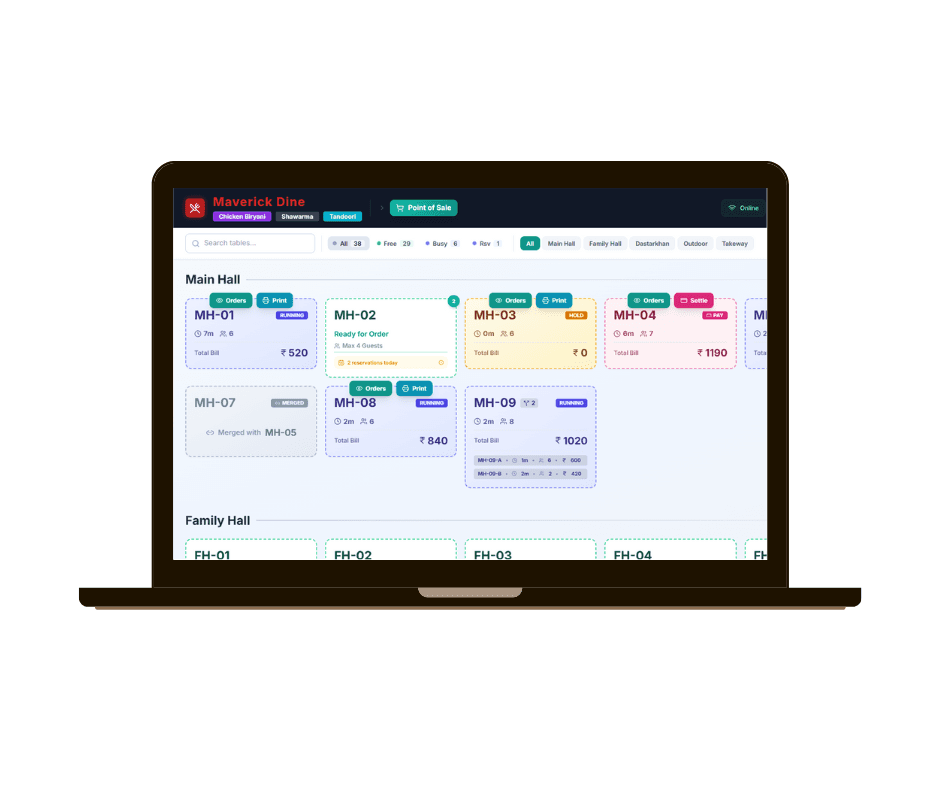
Billing, tables, kitchen, stock, staff and customers - connected, so an order taken at the table reaches the kitchen, moves the stock and lands in the day's numbers without anyone re-typing it.
- POS and kitchen display
- Table and reservation management
- Recipe-level inventory
- Works offline
Faster
Billing through peak service
Live
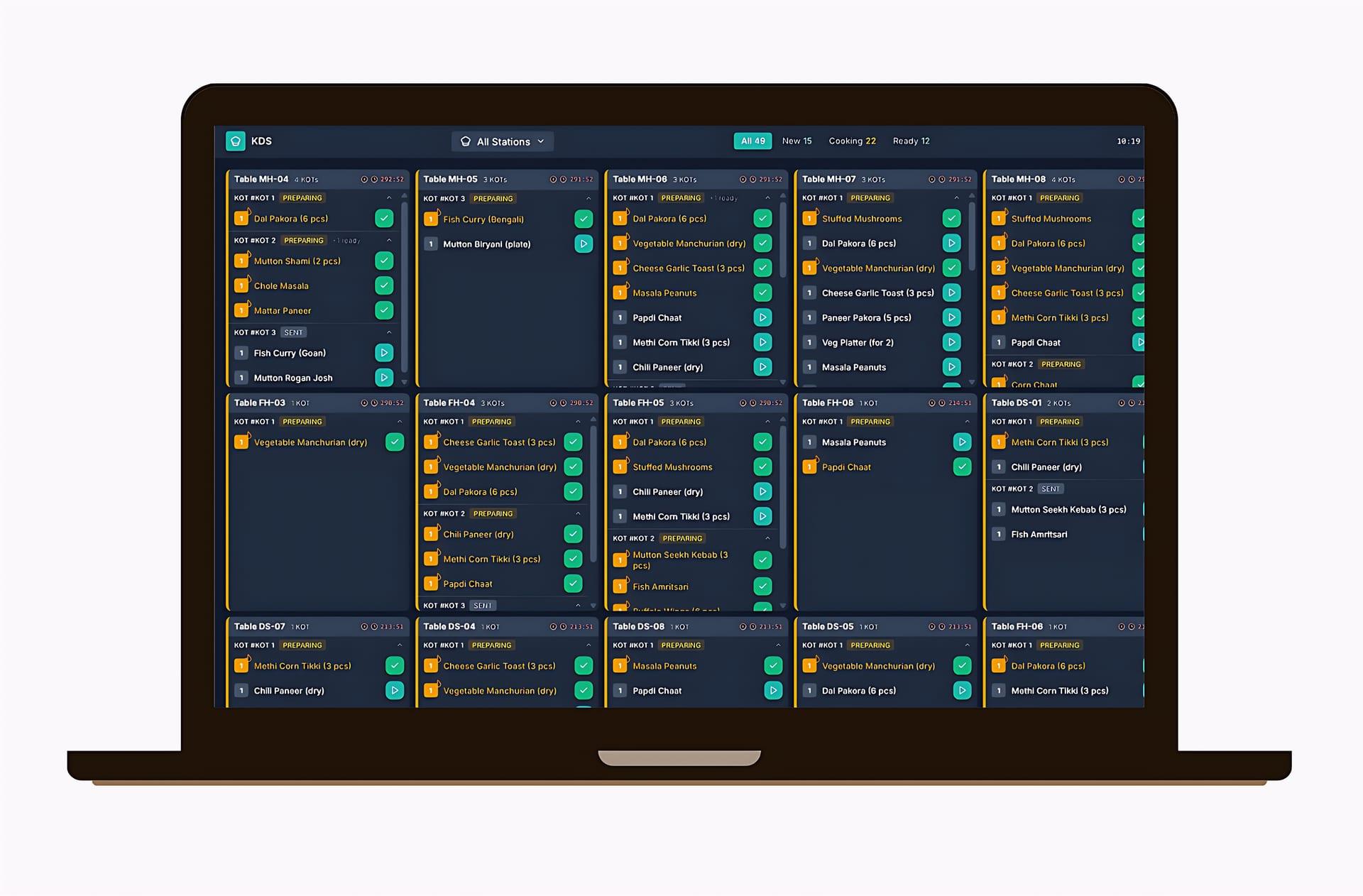
Orders on the kitchen screen instantly
Recipe-level
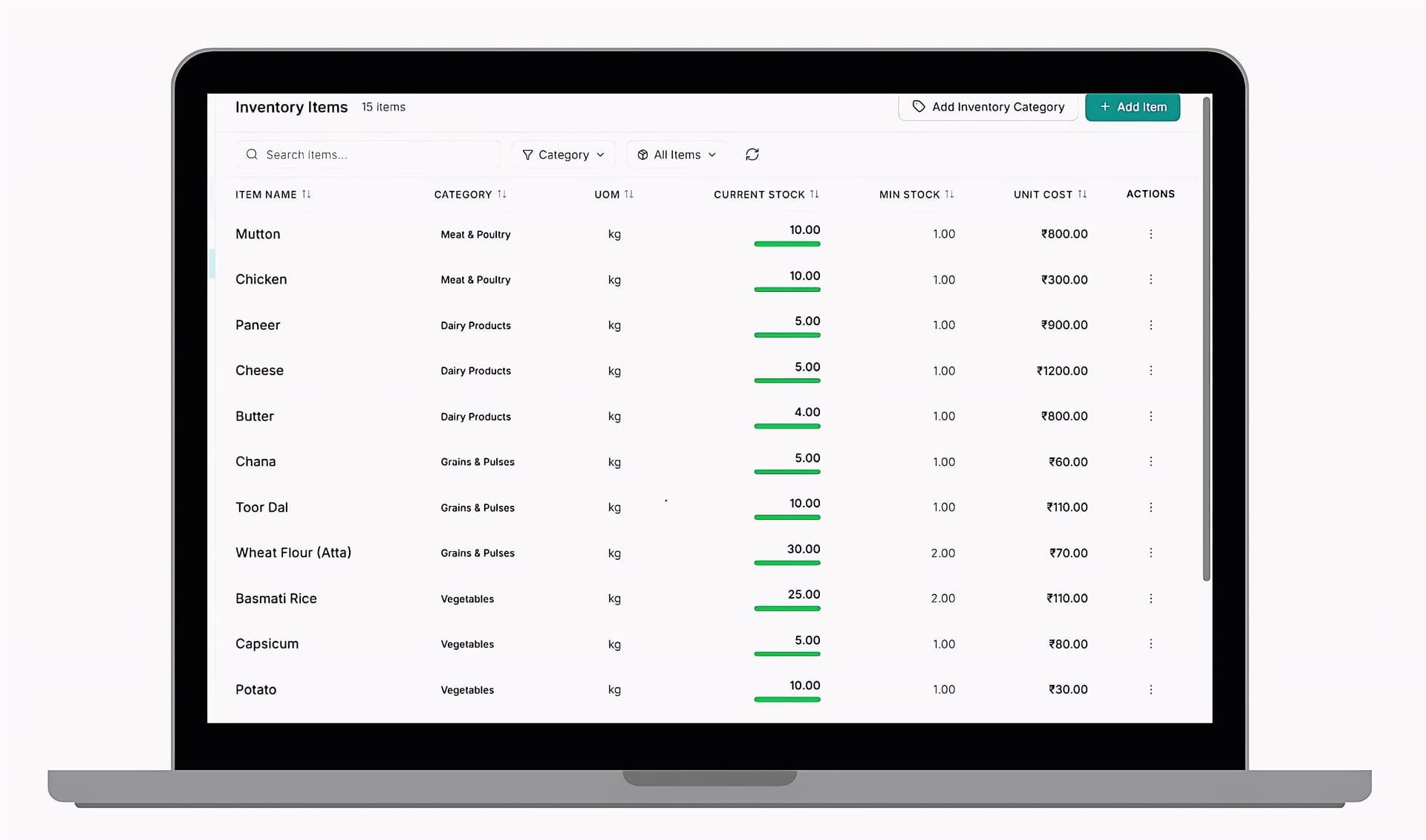
Stock depletion per dish sold
Offline
Service continues without a connection
Built for the evening rush
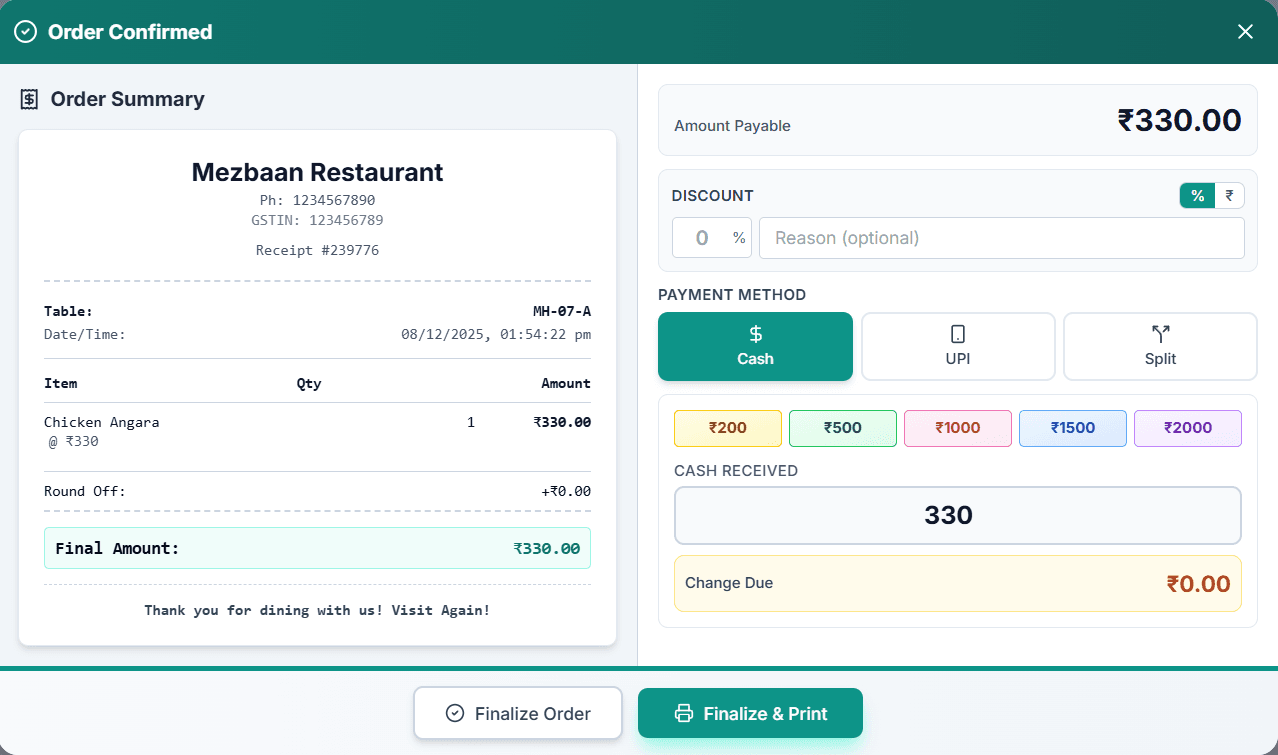
A restaurant fails or succeeds in ninety minutes of service. Maverick Dine is designed for that window - fast order entry, orders on the kitchen screen the moment they are taken, and bills split however the table wants them.
Around service sits everything else: recipe-costed inventory that depletes as dishes are sold, staff attendance and payroll, customer records and loyalty, and reporting that shows which dishes actually make money.
It runs in fine dining, casual dining, quick service, cafes, bars and cloud kitchens, across one outlet or a chain.
Capabilities
What Maverick Dine does
Each area below has its own detail page - open any card to see how it works.
The order only gets typed once
A server takes the order on the Captain App at the table. It appears on the kitchen display instantly, routed to the right station. When it is marked ready, the floor knows. When the table settles, the ingredients have already come out of stock and the sale is already in the day's numbers. Nobody re-enters anything, which is why nothing gets lost between the table and the till.
- Table-side entry on a handheld
- Straight to the kitchen display, station-routed
- Ready status returned to the floor
- Stock and sales updated from the same order
Food cost you can defend
Recipe mapping means selling a dish depletes its ingredients, not an abstract dish count. That single decision is what makes real food-cost reporting possible - margin per dish, consumption variance against theoretical usage, and wastage that shows up as a number instead of a suspicion.
- Recipes and sub-recipes costed to ingredient level
- Automatic depletion on every sale
- Theoretical versus actual consumption variance
- Wastage recorded and reported
Service does not stop for the internet
Billing, order entry and the kitchen display keep running through a connectivity outage, holding data locally and syncing when the link returns. For a restaurant mid-service, this is the difference between an inconvenience and an evening written off.
- Full offline billing and order entry
- Automatic sync on reconnect
- No manual re-entry after an outage
Who it is for
Businesses running Maverick Dine
Fine & casual dining
Table service, course firing, split bills and reservations.
Quick service & cafes
Speed at the counter, with queue-friendly billing.
Bars & lounges
Tab management, fast re-orders and stock-tight pouring.
Cloud kitchens
Aggregator orders into one kitchen display, costed per dish.
Where it runs
- Windows and Android POS terminals
- Kitchen display on any screen
- Captain App on Android phones
- Web back office
- Offline-first with cloud sync
Common questions
See Maverick Dine on your own numbers
Tell us how you operate today and we will walk you through exactly what changes.